
Script-First Podcast
Generate the script first, review and edit it, then render audio — turning podcast production into a controllable two-stage process.
A standard podcast request goes straight through: topic in, wait, audio out. That is fast, but there is no point at which you can read what the hosts are about to say.
Script-first mode splits the job in two: generate the script, review and edit it, then generate the audio. Use it for episodes you intend to publish, content where wording matters, and any workflow that needs a review pass before rendering.
Starting a Request
Tell the AI you want to use script-first mode. It explains the trade-off before starting — the script is produced first so you can review and edit it before any audio is rendered:

Stage One: Script Generation
The AI submits a script-generation task and returns an Episode ID. This stage produces text only — no audio is rendered yet:

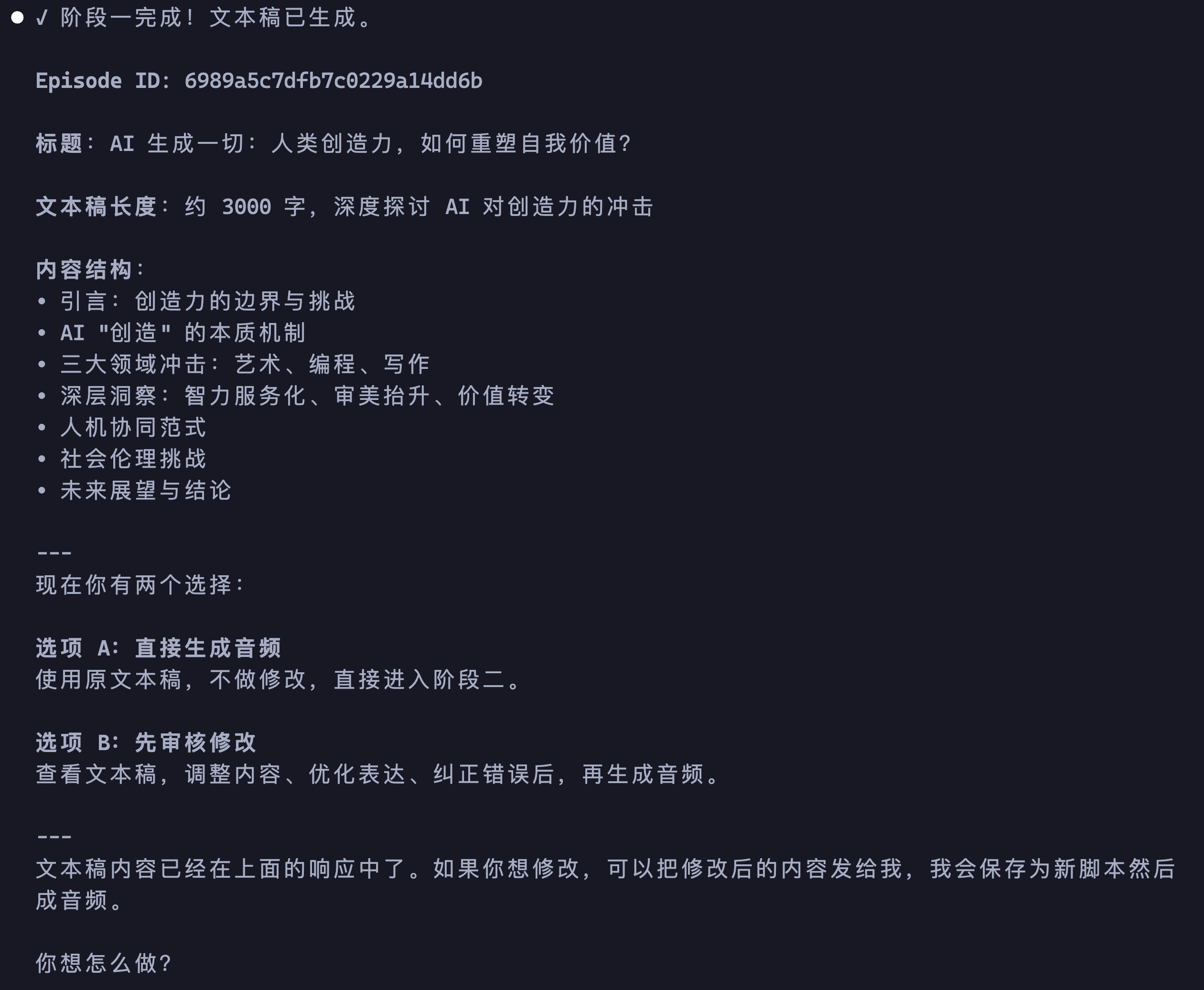
After a few minutes, the AI polls the status and reports the finished script: title, word count, and structure, along with two paths — render audio now, or review and edit first:
Reviewing the Script
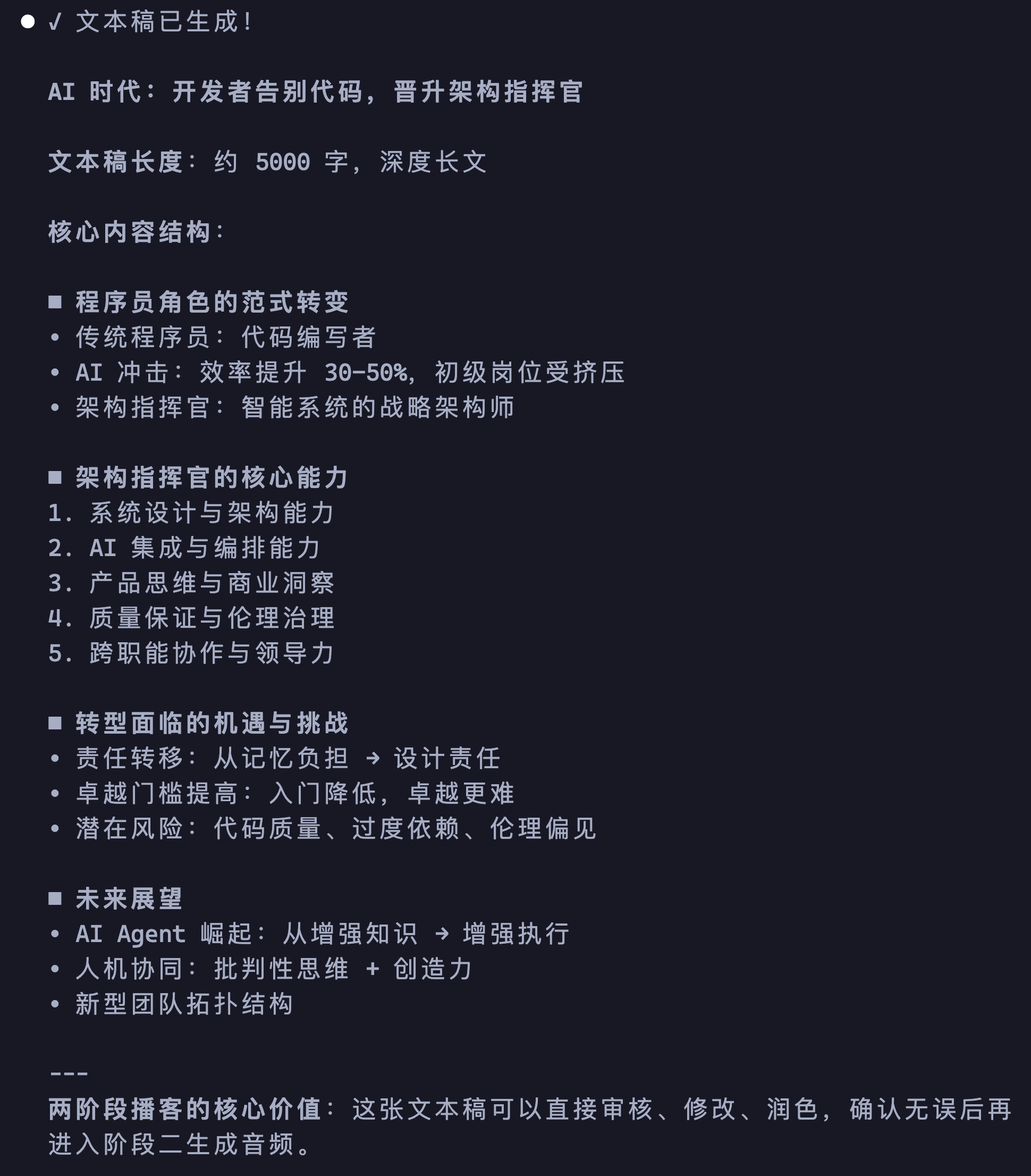
Choose the review path and the AI lays out the full structure — in this example roughly 5,000 words across 10 sections, with the topic and central argument of each section visible at a glance:
It also prints a detailed section outline with an editing entry point, so you can cut, add, or reorder any part:
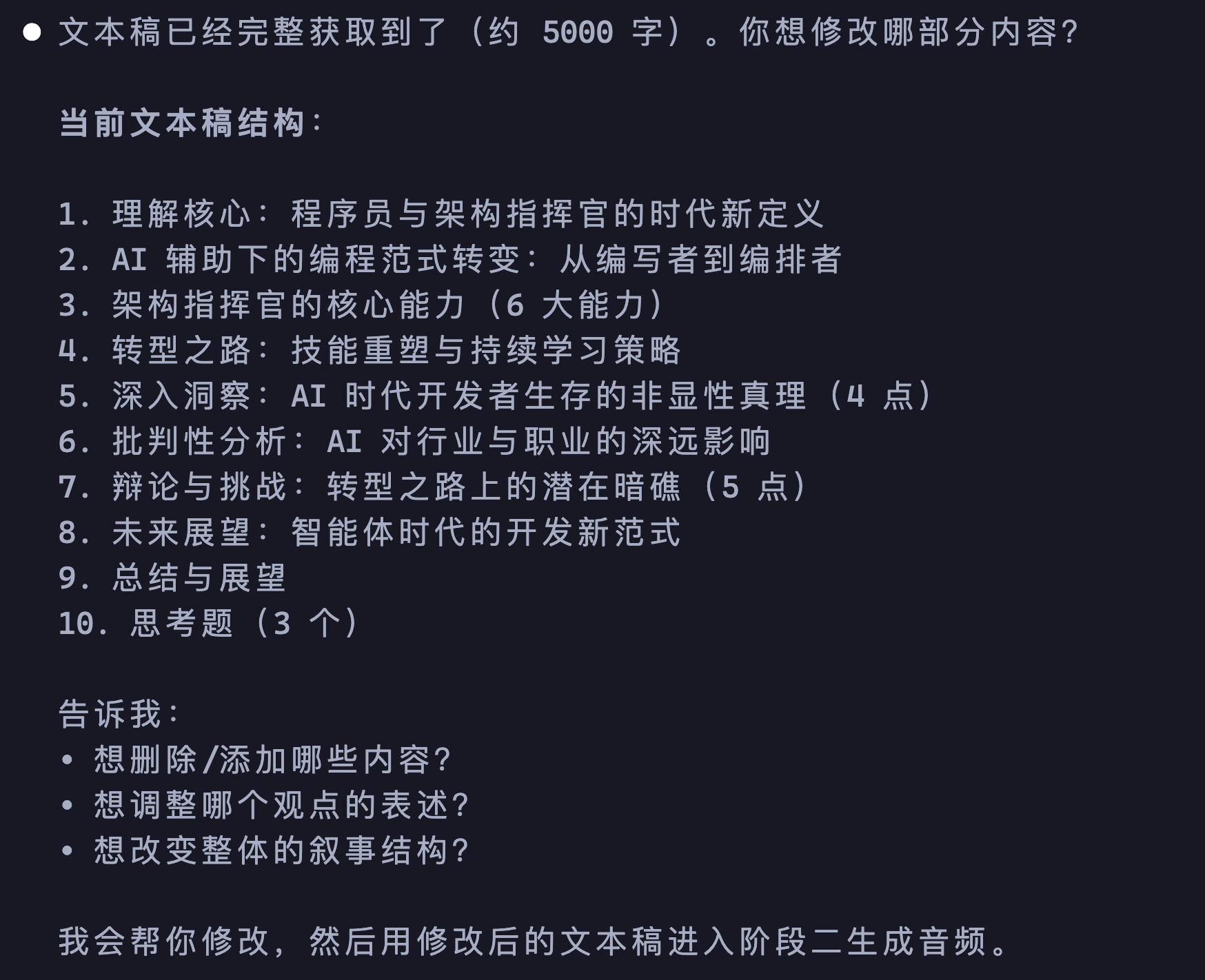
The review note in this example was "keep the structure, but make it tighter and more conversational". The AI condensed the 5,000-word academic draft into a 1,500-word dialogue script, which suits the pacing of something meant to be heard rather than read.
Stage Two: Audio Generation
Once the revised script is approved, stage two begins. The AI starts audio generation from the condensed 27-line dialogue script:

Finished Episode
Two to three minutes later the audio is ready. The AI returns a listening link, an audio download URL, and a subtitle file, along with a summary of what ran at each stage:

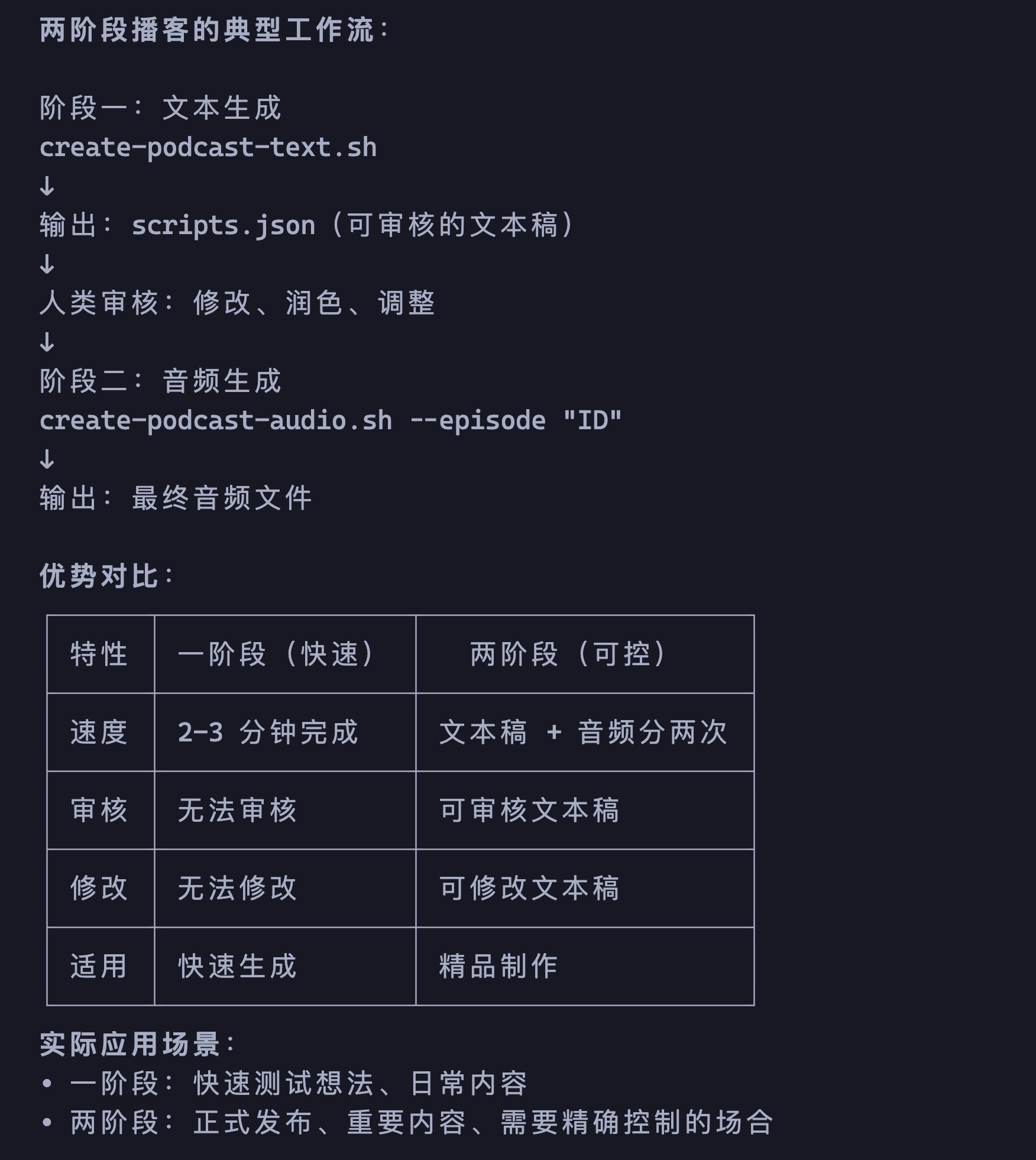
Direct vs. Script-First
The core difference between the two modes:

Use direct generation to test an idea quickly; use script-first when the episode is going to be published or the content matters.
The full workflow:
For the underlying two-stage API, see the Podcast API reference.