
Multi-Voice Scripts
Use a JSON script to control which voice speaks each line, for multi-character dialogue and dramatised scripts.
Basic TTS is one block of text read by one voice. A multi-voice script instead gives you line-by-line control over who speaks — a three-way debate, dialogue from a novel, or a teaching scenario where each character has their own voice and lines.
Starting a Request
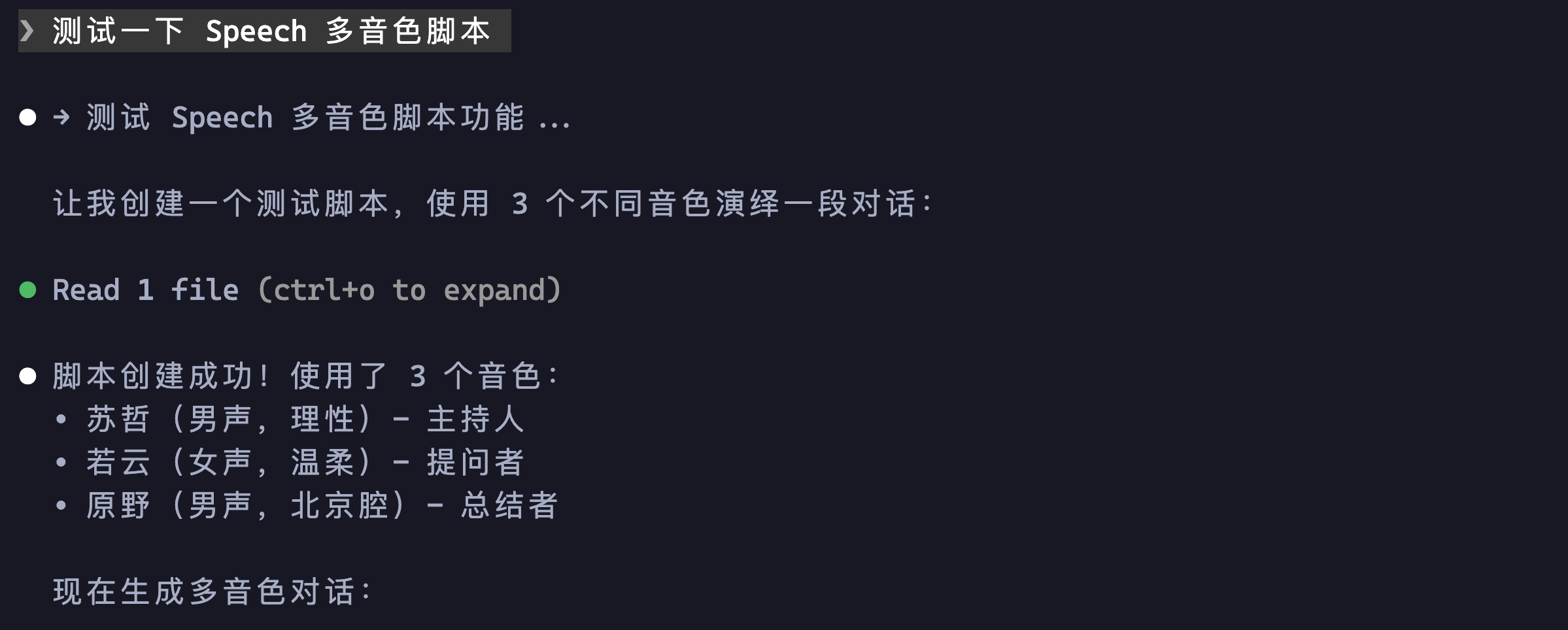
Tell the AI you want to use a multi-voice script. It builds a multi-character dialogue and assigns a distinct voice to each speaker. In this example:
- Su Zhe (measured male voice) — host, handles the opening and the main argument
- Ruo Yun (warm female voice) — questioner, surfaces the tension and works through it
- Yuan Ye (Beijing-accented male voice) — closer, delivers the philosophical wrap-up
Script Structure
The generated script is a plain JSON file. Each line specifies content (what is said) and speakerId (which voice says it), and lines are read in array order:
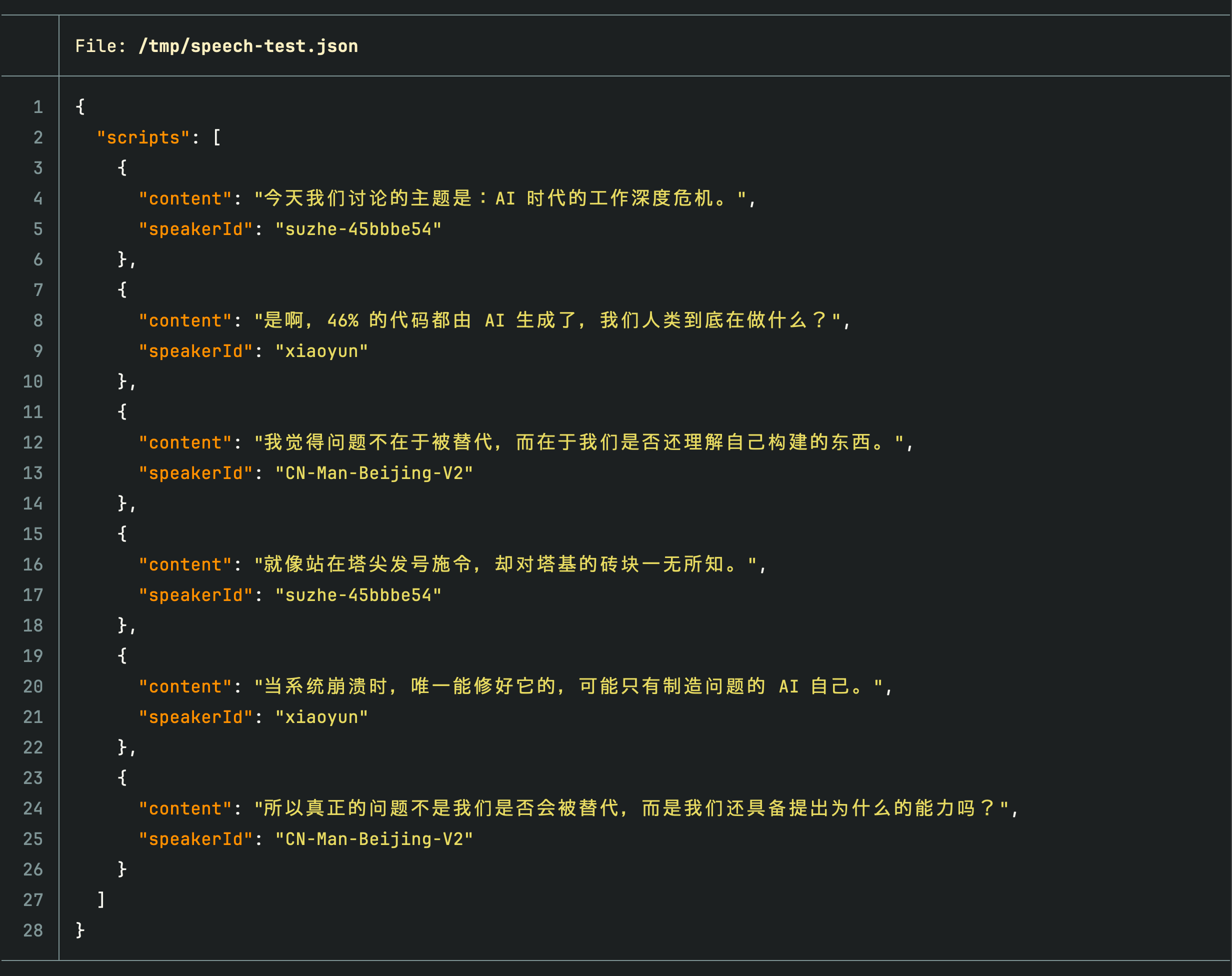
The point of this structure is that it is fully deterministic — two people alternating, a three-way roundtable, or a monologue interleaved with narration are all just different arrangements of the same array. You can write the script by hand, or have the AI generate it from a description.
Finished Dialogue
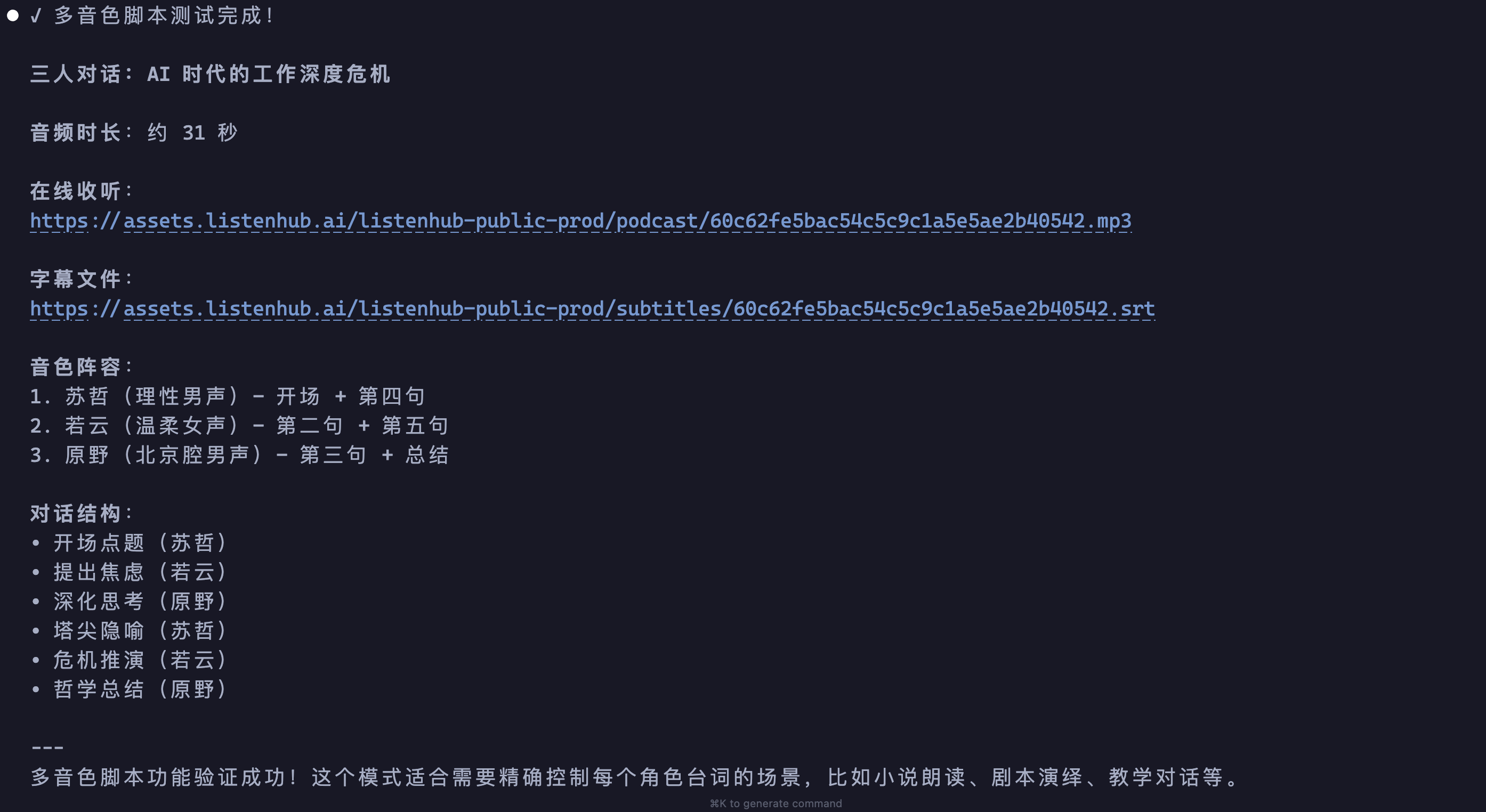
Around 30 seconds after submission, the three-way dialogue is ready. The AI returns a listening link, a subtitle file, the voice lineup, and the dialogue structure:
FlowTTS vs. Script
| Aspect | FlowTTS (single narrator) | Script (multi-voice) |
|---|---|---|
| Granularity | Whole text, one voice | Per line, multiple voices |
| Best for | Article narration, long text | Dialogue, scripts, audiobooks |
| Input format | Plain text | JSON (scripts array) |
| Arrangement control | Low | High |
For the underlying API, see the Text to Speech API reference.
Creator
Generate multi-platform content packages — articles, image cards, or narration scripts with illustrations and audio — from any topic, URL, or audio file.
Script-First Podcast
Generate the script first, review and edit it, then render audio — turning podcast production into a controllable two-stage process.